It looks like my previous request might not have been clearly formulated. Before going there, I wanted to praise the application design. The process looks well thought and convenient. All controls fit and placed nicely.
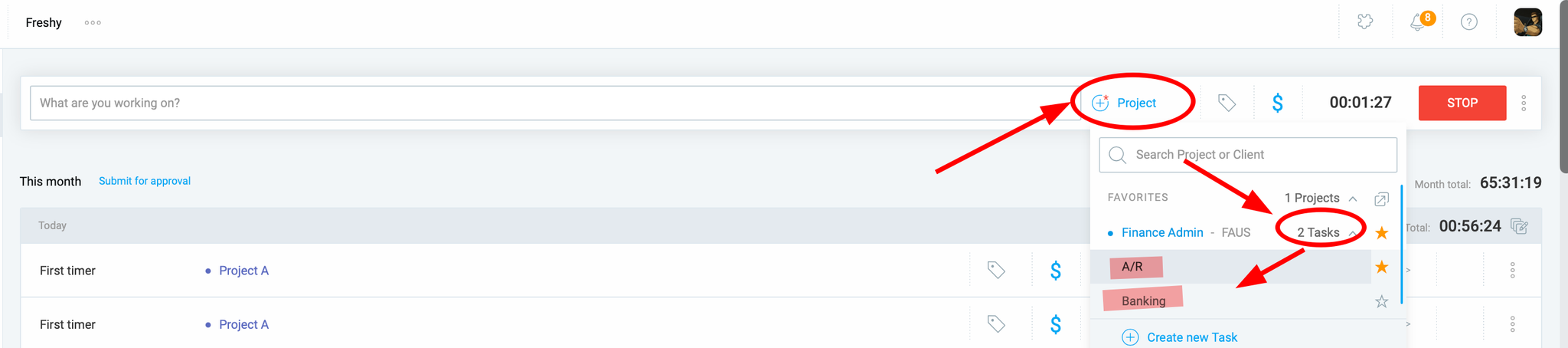
Now, about the suggested feature. I found myself repeatedly making a few extra actions when I start each new tracking in timer mode using + and Timer. It is a click on the current tracking area, then on the project selection link, then on the task selection link. The way it looks like the application may benefit from having 3 configurable options:
Once a new tracking starts, open project selection list.
Once a project is selected and the project has any tasks, open task selection list.
Once a tracking/task is selected, open tags selection list.
Thank you for reaching out and sharing your detailed feedback and suggestions with us. We genuinely appreciate you taking the time to provide your input.
Please be assured that your previous feedback has been thoroughly documented and shared with the relevant internal team for careful review and consideration. While we can’t guarantee the implementation of every suggestion, your input is incredibly valuable as we continuously work to improve the overall user experience.
We specifically understand your suggestion about using automatic project/task/tag selection pop-ups to streamline the process of starting a timer and reduce extra clicks. This particular idea has been forwarded to our product team for their consideration.
In the meantime, we recommend adding a project or task by clicking the plus icon (as shown in the attachment).
Thank you for reviewing and considering a new feature to your product. At the same time I wanted to comment on your suggestion about “adding a project or task by clicking the plus icon“. While this is helpful to create new projects and tasks, I wanted to point out that it is about projects/tasks creation while my suggestion about existing project/task selection. But in some cases, when a project/task does not exist, it still applicable. I hope I expressed my suggestion correctly.